Solar forecasting app

Rocket science
on your roof.

Advanced Physical Engine. No inverter cloud login. No API keys. Enter your panel parameters — azimuth, tilt, peak power — and get precision forecasts powered by satellite data and physics.

Volcast solar forecast app

Advanced Physical Engine

No inverter cloud login or API keys required. Just enter your system parameters and let physics do the work.

Physics-Based Forecasting

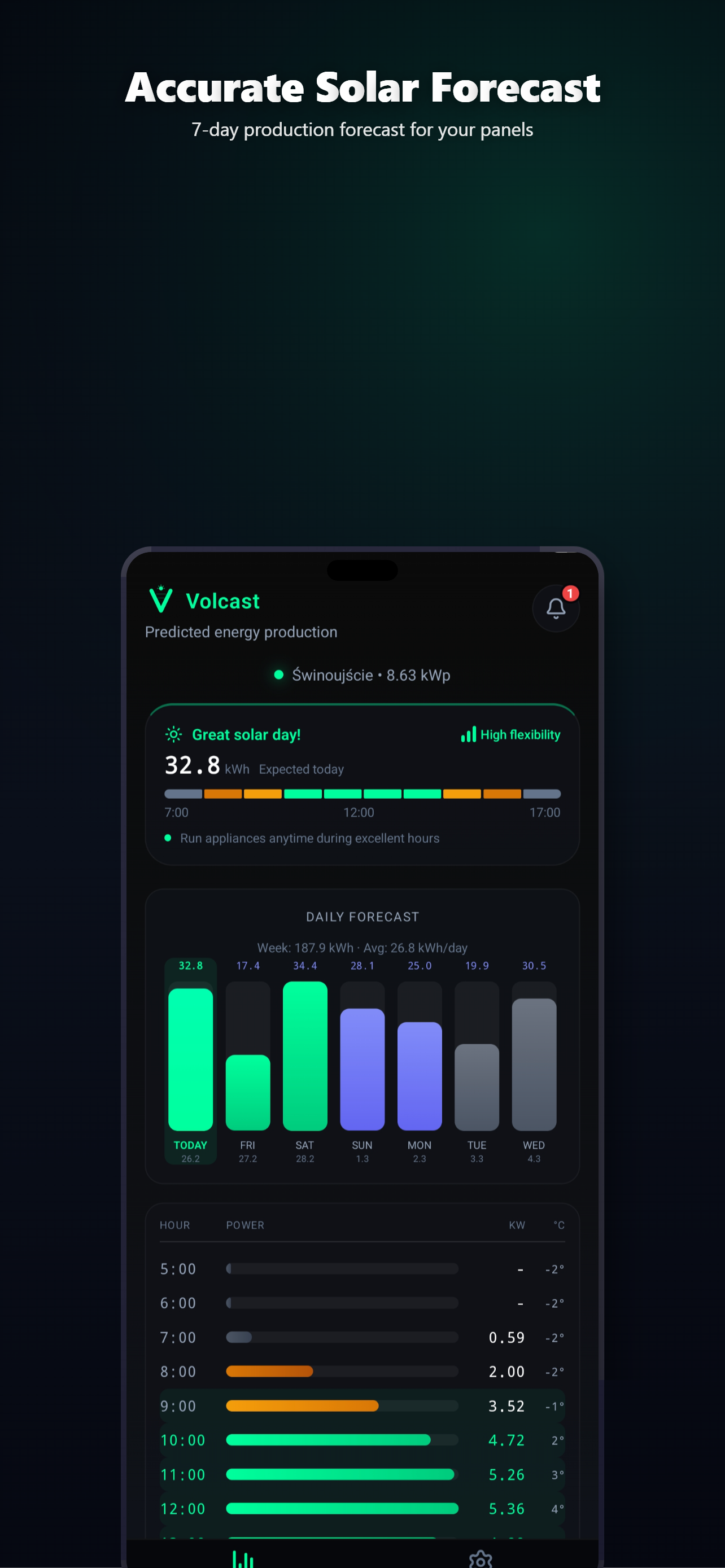
Hourly and daily PV production forecasts using a full irradiance model, spectral corrections, and real satellite weather data. No hardware connection needed.

Auto-Calibration

Log your actual production and the Kalman filter learns your system over time. The more data points, the more precise the predictions become.

Smart Notifications

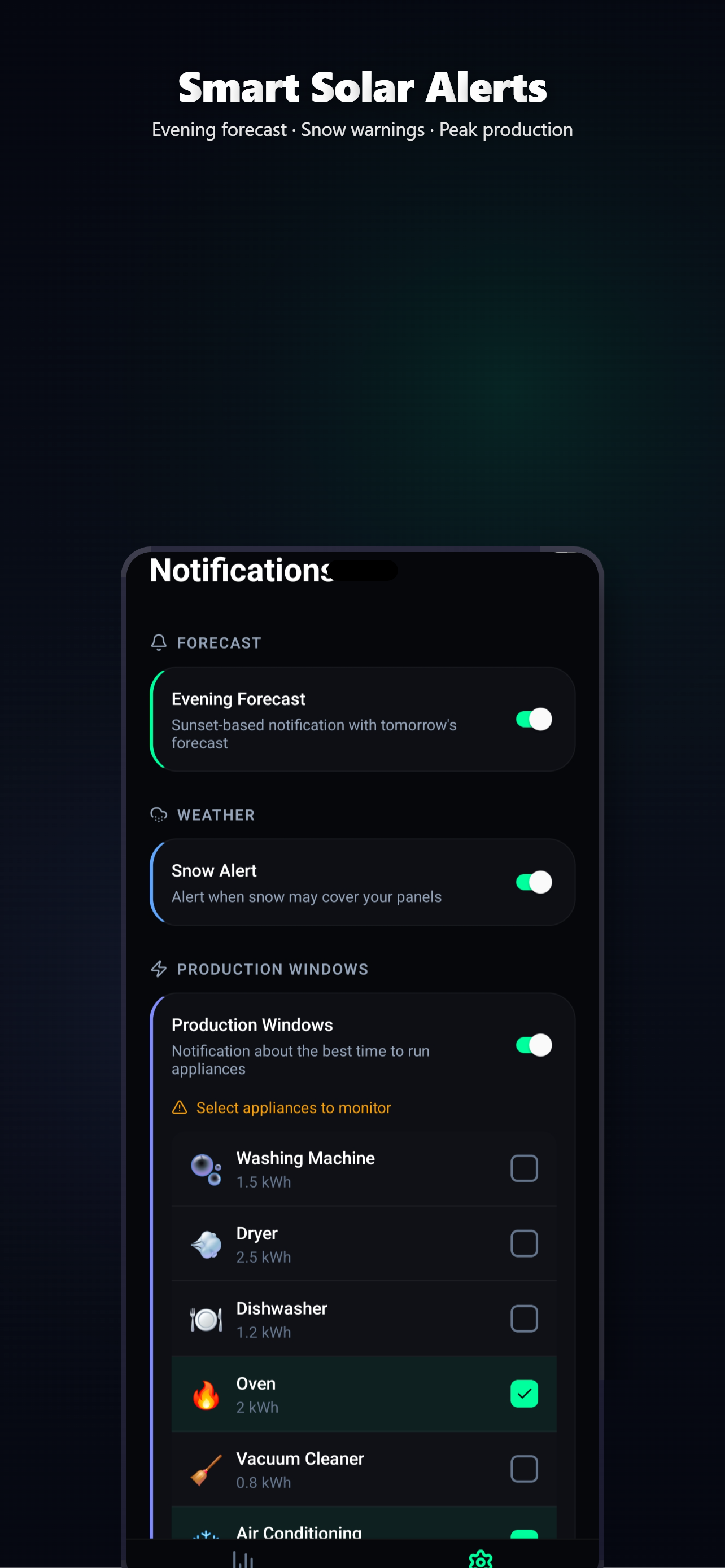
Get alerted when tomorrow's forecast changes significantly or when it's the best time to run heavy appliances. Never miss a sunny window.

Volcast notifications

Home Screen Widgets

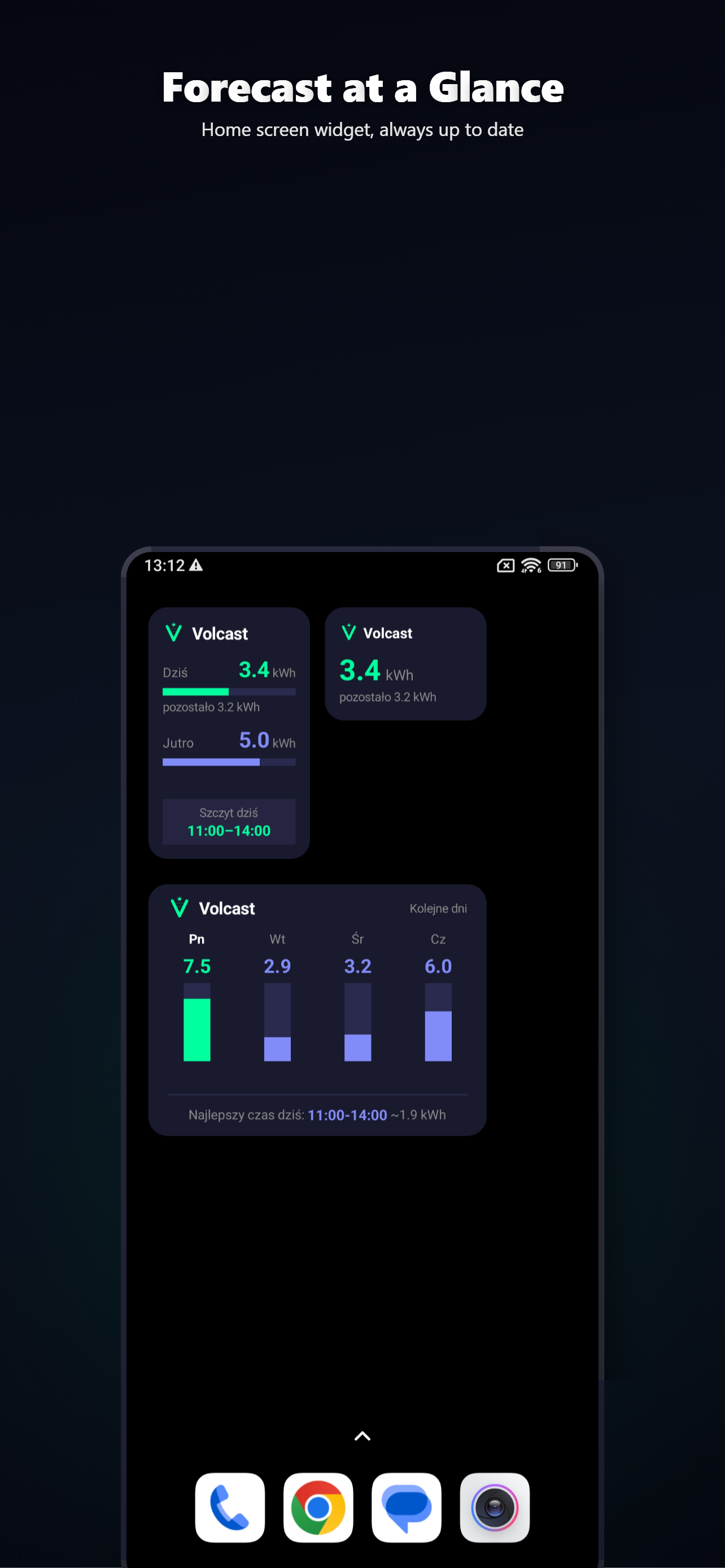
Glanceable widgets for Android and iOS showing today's forecast, tomorrow's outlook, and a multi-day overview — without opening the app.

Volcast widgets

Up and running in minutes

No inverter login. No cloud API. Just describe your panels and start forecasting.

1

Enter your panel parameters

Azimuth, tilt angle, peak power, multi-string setup, bifacial factor, and horizon shading profile. That's all we need.

2

Get your forecast

Volcast combines satellite weather data with the physical model of your system to predict hourly and daily production.

3

Calibrate & optimize

Log actual production and the model auto-calibrates. Set up notifications and widgets to stay ahead.

Home Assistant Integration

Push your forecast to Home Assistant

Install the official HACS integration for the best experience — Energy Dashboard, live power sensor, peak production alerts, and automatic updates. Or use the REST API directly for custom setups.

Generate your API key in the Volcast app (Premium). No hardware access, no cloud polling — the data comes directly from the Volcast engine.

1
Open HACS Open HACS in your Home Assistant.
2
Custom repositories Click the ⋮ menu (3 dots) → Custom repositories.
3
Add repository https://github.com/volter-labs/volcast-ha-integration Add the URL above as an Integration.
4
Install & restart Click Install, then restart Home Assistant.
5
Configure Settings → Devices & Services → Add Integration → search "Volcast" → enter your vk_... API key.
View on GitHub

Included sensors

Energy Today (kWh) Energy Tomorrow (kWh) Power Now (W) Peak Production Energy Dashboard
Fetch your forecast bash
# Single API call returns daily + hourly + 5-min data
curl -H "X-API-Key: vk_your_api_key" \
  "https://volcast.app/api/forecast"
API response json
{
  "state": 12.4,
  "unit_of_measurement": "kWh",
  "attributes": {
    "forecast": {
      "2026-03-17": { "energy_kwh": 12.4, "peak_w": 3200 },
      "2026-03-18": { "energy_kwh": 8.1, "peak_w": 2800 }
    },
    "hourly": { /* 24 hourly entries per day */ },
    "detailed": { /* 288 five-minute entries per day */ },
    "api_version": 2
  }
}

Zero Tracking

No analytics, no telemetry, no behavioral profiling. Your usage data stays on your device.

No Ads

No banners, no interstitials, no sponsored content. Ever. One-time purchase, no subscriptions.

No Cloud Hardware Access

Volcast never connects to your inverter or any hardware. All forecasts are computed from satellite weather data and your panel parameters.

Rocket science on your roof

Available on Android and iOS. Download free and start forecasting.

Common questions

Volcast uses a full physical irradiance model combined with satellite weather data and your specific system parameters. After calibration with real production data, accuracy typically reaches 85–95% on clear and partly cloudy days. Heavy cloud cover is harder to predict for any system, but Volcast still outperforms generic weather apps.
No. Volcast works with any solar installation — no inverter cloud login, no API keys, no hardware connection. You just enter your panel parameters: azimuth, tilt, peak power, and optionally multi-string setup, bifacial factor, and horizon shading profile.
Volcast offers a free tier with 2-day forecasts. Premium unlocks the full 7-day forecast, auto-calibration, REST API for Home Assistant, production history, and more — as a one-time purchase, no subscription.
Volcast is available on Android (Google Play) and iOS (App Store). Home screen widgets work on both Android (Glance) and iOS (WidgetKit).
You log your actual daily production (just one number). After 5+ data points, the Kalman filter compares your real output against the physical model to fine-tune parameters specific to your installation — accounting for shading, panel degradation, and local factors.
Install the official Volcast integration via HACS — it takes 3 clicks. You get Energy Dashboard support, today/tomorrow energy sensors, live power output, and peak production alerts. Just enter your API key (generated in the app, Premium feature) and all sensors appear automatically. A REST API is also available for custom integrations.