Home Assistant solar forecast: 3 sources compared
A production forecast is the foundation of energy automation in Home Assistant: without it, your immersion heater, heat pump and wallbox react to what is, not what’s coming. Three forecast sources dominate: Forecast.Solar, Solcast and Volcast. Here’s an honest comparison — I used all three before we built our own.
Quick comparison
| Forecast.Solar | Solcast | Volcast | |
|---|---|---|---|
| Model | statistical, simplified | satellite-based, very high grade | physics + auto-calibration (Kalman filter) |
| Calibration to your system | none | limited (tuning) | automatic, continuous |
| Free tier | public API with request limits | hobbyist account with a tight daily cap | 2-day forecast in the app |
| Full forecast + API | paid plans | commercial plans | Premium $4.49/mo |
| Resolution | hourly | hourly/30 min | hourly + 5-minute |
| HA setup | built-in integration | community integration | official HACS integration |
| Shading profile | no | no | yes, modelled |
| Mobile app with notifications | no | no | yes (iOS/Android) |
As of July 2026 — competitors’ limits and pricing change; check current terms before deciding.
Forecast.Solar — great starting point, accuracy ceiling
Its biggest strength is zero friction: the integration ships with Home Assistant, five fields and you’re done. A perfectly legitimate way to start.
The limits show over time: the model is simplified and never learns your system. With unusual shading, an east–west layout or a few years of degradation, the gap between forecast and reality grows — and it’s systematic. An automation fed by a consistently optimistic forecast will consistently heat your water on grid power.
Solcast — excellent data, a narrow free door
On satellite data quality, Solcast is in a league of its own — it serves utility-scale plants and energy traders. The hobbyist’s problem is different, and it is worth being specific about because it decides whether Solcast fits your setup at all. A free account created recently gets 10 API calls a day; accounts opened before the change kept the older allowance of 50, so advice you find in forums may not match what your own account does. Free accounts also cap you at two rooftop sites. Ten calls a day is enough for a forecast refreshed a few times daily, not for anything close to hourly, which turns update scheduling into a puzzle — and registration plus setup are noticeably more technical. A very strong source if you fit within the limits and don’t need per-roof calibration.
Volcast — physics plus a model that learns your roof
Our approach combines a full physical model (irradiance transposition, spectral and temperature corrections, shading profile) with auto-calibration: a Kalman filter compares forecasts with actual production and adjusts the model’s parameters. After two to three weeks the forecast knows your roof — chimney shadow at 3 pm included. On my own 5.2 kWp system, next-day error on sunny days drops below 10%.
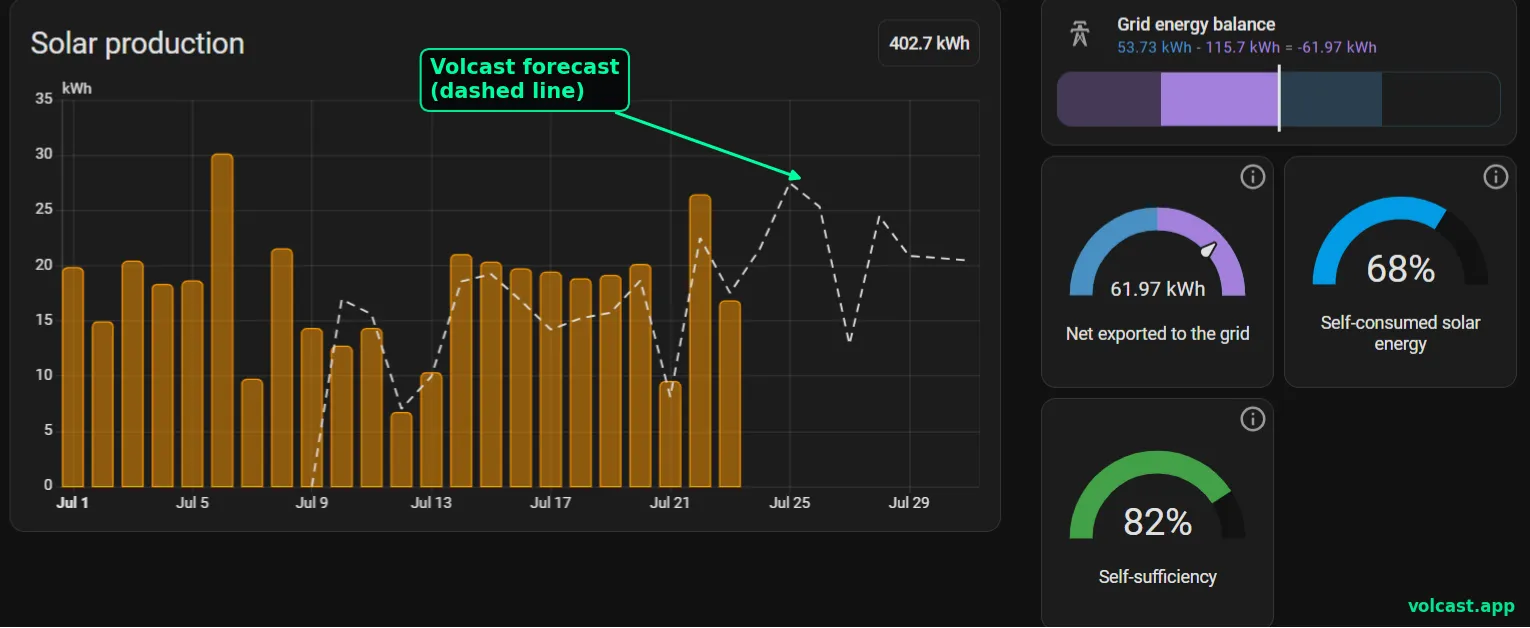
In Home Assistant you get out of the box: sensor.volcast_energy_today, sensor.volcast_energy_tomorrow, live power, a peak-production indicator and Energy Dashboard integration. Plus 288 five-minute points per day via the REST API — useful for wallbox surplus charging. To be fair: the API requires Premium ($4.49/mo); the free tier is a 2-day forecast in the mobile app.
Setting up Volcast in HA — 5 steps
- Open HACS → ⋮ menu → Custom repositories.
- Add
https://github.com/volter-labs/volcast-ha-integrationas an integration. - Click Install, restart Home Assistant.
- Generate an API key in the Volcast app (Premium) —
vk_.... - Settings → Devices & Services → Add integration → “Volcast” → paste the key. Sensors appear automatically.
Which one for whom
Forecast.Solar — you want a forecast in 5 minutes and won’t hang bill-critical automations on it. Solcast — you need top-grade satellite data and fit inside the free limits. Volcast — you’re automating real money (water heating, heat pump, EV charging) and want a forecast calibrated to your own roof, plus a phone notification when tomorrow changes.
FAQ
Can I run two forecast sources side by side? Yes — a popular way to start: run both against actual production in the Energy Dashboard for two weeks and keep whichever misses less on your system.
Does Volcast connect to my inverter? No — the forecast is built from weather-model (NWP ensemble) irradiance data and your system parameters. Actual production for calibration can be logged manually or pulled automatically from an HA energy sensor.
Does the integration send data about my home? Beyond your system parameters, the integration sends only your real production readings — and only if you opt in to calibration. Nothing else, no tracking.